


When you try to place an online order on your phone, or book a court for your weekend pickleball game, after tapping through a few screens, you're not quite sure if it went through. And then a page pops up and tells you you're all set, giving you a little "oh nice, we're good" feeling. That simple little page — the one that wraps everything up and gives you a small sense of closure — is called a transition page.
Well, showing users that they're all set is just one of the classic use cases — transition pages can actually show up anywhere in a product's user flow. At their core, they're what helps users move smoothly from one state to another, and since state changes can happen at any point when users are on the product, such pages can be designed into almost any part of the flow.
In this article, we'll walk through a few different types of transition pages, what they mean for the user experience, and what to keep in mind when designing them.
Beginning, middle, end — designing transitions throughout the user flow
The wrap-up: when a flow comes to an end
As we mentioned earlier, one of the most classic uses of a transition page is to help users wrap up a task, whether that's moving on to something new or simply calling it done. And when it comes to designing for this moment, the job is pretty straightforward: give users a clear result of what just happened, and let them feel the sense of closure. If they need to take the next step, a clear nudge toward what comes next is just as important as the wrap-up itself. The last thing you want is to leave users confused about where to go next.
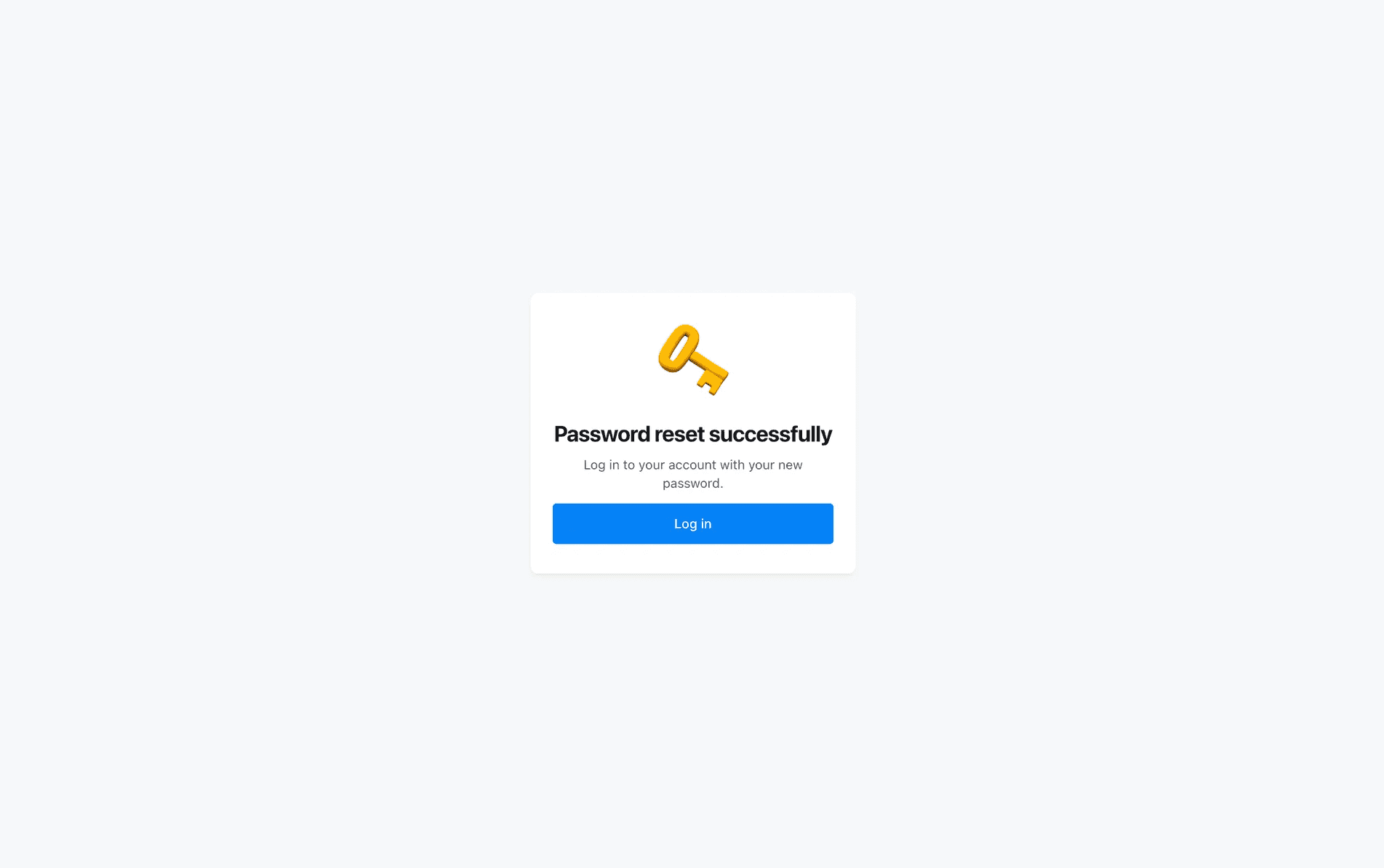
Screenshot of Clay's password reset confirmation screen (via Mobbin). A clear confirmation message paired with a clear next action.
The hold: when things need a moment to get started
Another situation where transition pages come in handy is right at the start of a user flow. One scenario is pretty simple: the system just needs a moment to initiate something. Think about opening a large file that takes a few seconds to load, with zero patience to spare. The transition page is basically the system's way of raising its hand and saying "got it, give me a sec." It's a small thing, but without it, that "few seconds" can feel like forever.
The other for this is more of a human thing, and a slightly sneaky one at that. Sometimes it's not the system that needs more time, it's the users who expect it to. Imagine you just submitted a merging request for two long and complicated forms. If the new merged form pops up instantly, something might feel a little off. You might wonder did it actually merge all of that? In this case, placing a well-timed transition page before the result acts like a placebo: a little perceived effort that makes the result feel more legit.
It might seem like transition pages at the start of a flow are only there to buy time, but what they're really doing is managing expectations and building trust with users. The key to designing for this moment is responsiveness: "Got your request, we're merging your forms now." lands very differently than just "Processing..." Both buy users the same amount of time, but one shows the system actually heard them, while the other just leaves them waiting.
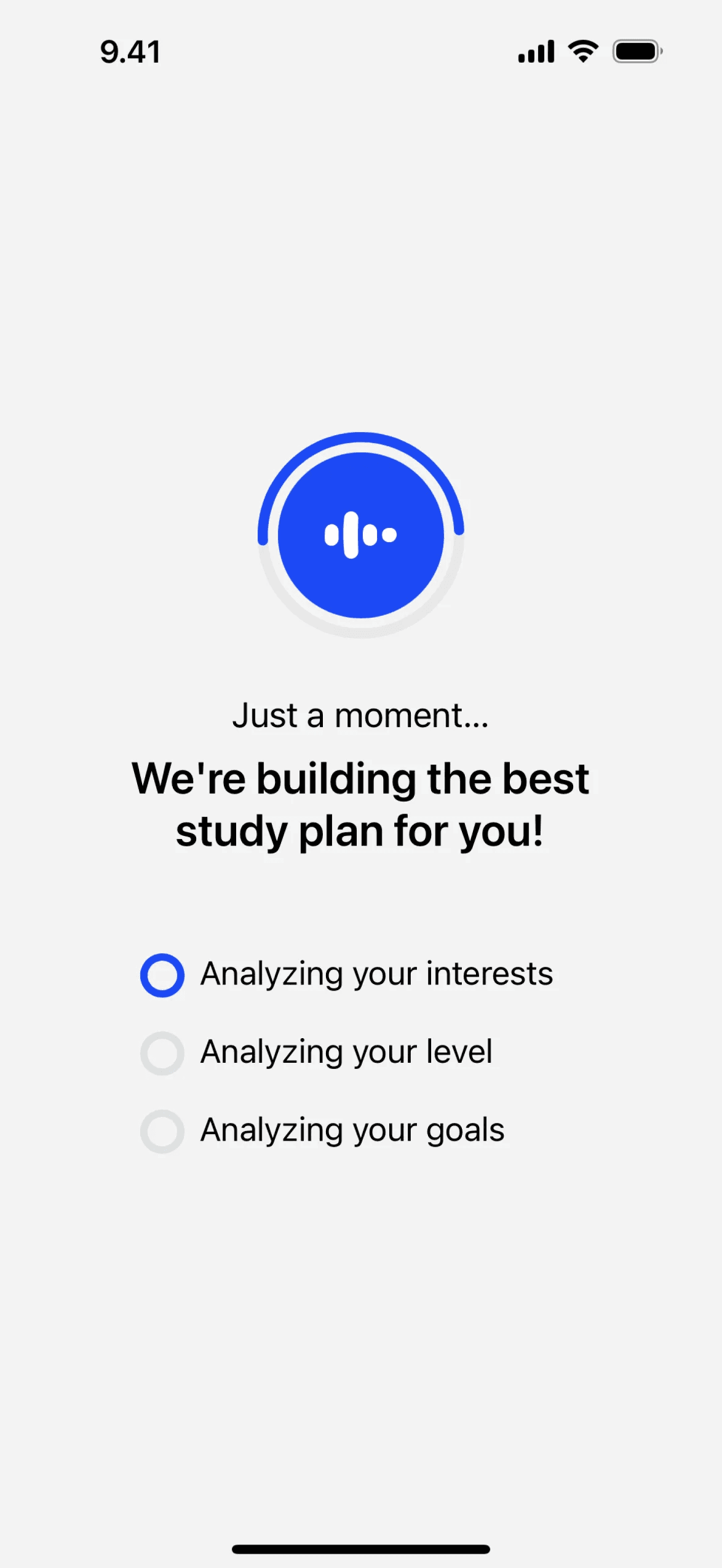
Screenshot of Speak App (via Mobbin). A little waiting here makes the generated study plan feel more legitimate than an instant response.
The handoff: when the system takes the wheel
Transition pages don't only show up at the beginning or end of a flow, sometimes they sit right in the middle. Take Uber's ride booking flow as an example: once users tap "Confirm Pickup," if there were no transition design at all, the Uber system would be essentially a black box: users put in a request, a driver gets matched somewhere in there, and somehow users end up getting picked up. Which, oddly enough, sounds like a scene straight out of a sci-fi thriller. Though thrilling is definitely not what Uber's designers were going for. To prevent that, the transition page acts as a window into that “black box," giving users just enough visibility to feel like they're still part of what's happening.
Transition design for this kind of mid-flow moment doesn't have to be grand. Sometimes even a single line of text can do the job. Simple as they are, what really matters is how they communicate: staying transparent about what's actually happening, and keeping users updated as things progress. Rather than a vague "Finding your driver...", show users where things actually stand at each stage: request sent, driver found, driver on the way. That way, users feel informed and in control, even when they technically aren't.
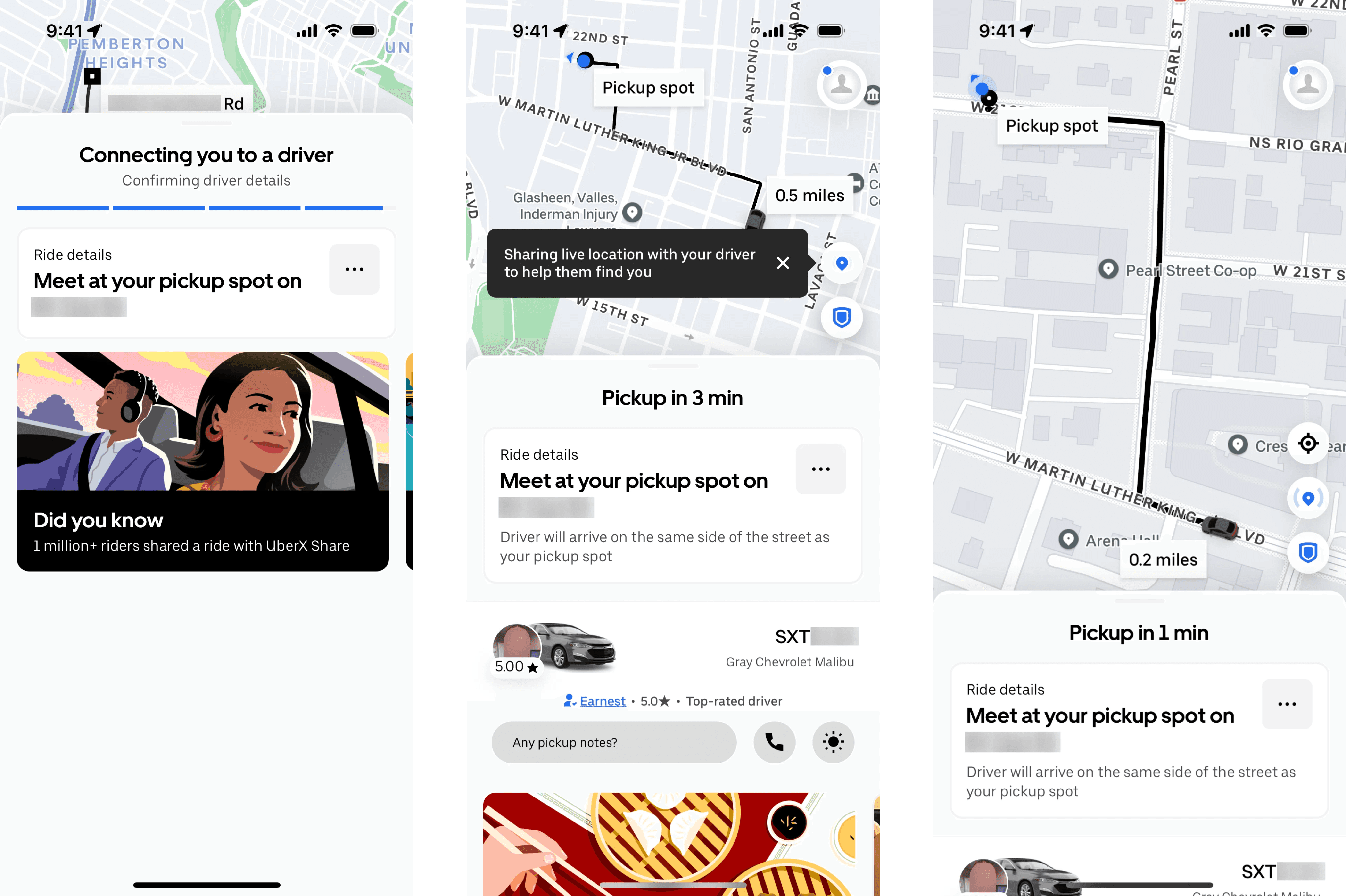
Screenshot of the Uber app (via Mobbin). The flow clearly visualizes the different states of a ride request, helping users understand where they are in the process.
The overuse of transitions: when transition design gets in the way
However, not every state change calls for a transition page. Blindly adding one to each of them is far from best practice. It really comes down to taking a closer look at each specific transition moment and what the user is actually expecting from it.
A good question to ask before designing it is: does the user need a moment to re-orient themselves in this new state? Only when the answer is yes does a transition page actually deserve to be there. For example, when users try to combine two sheets, they will need a moment to mentally reset and take in the new result, since the combination might have changed the columns and values in ways they need to process. A transition page gives them that buffer, signaling that something new is now in front of them. But what about switching between two existing sheets? No new elements to process, no mental reset needed. A transition here might work against users, creating nothing but unnecessary delay.
As you can see from the example above, whether to use a transition design doesn't always have a clear-cut answer. When done right, transition design gives a product a sense of rhythm that feels almost effortless. But a product that overuses it is like a song played in all the wrong rhythms. And that kind of friction is just as disruptive as having no transition design at all, sometimes even worse.
Designing transitions well is a reminder that a great product isn't just an engineering problem, it's also a little bit of an art. The key is knowing when to pause, and when to move. Leave some room for anticipation sometimes — but never push users to the point of giving up.
